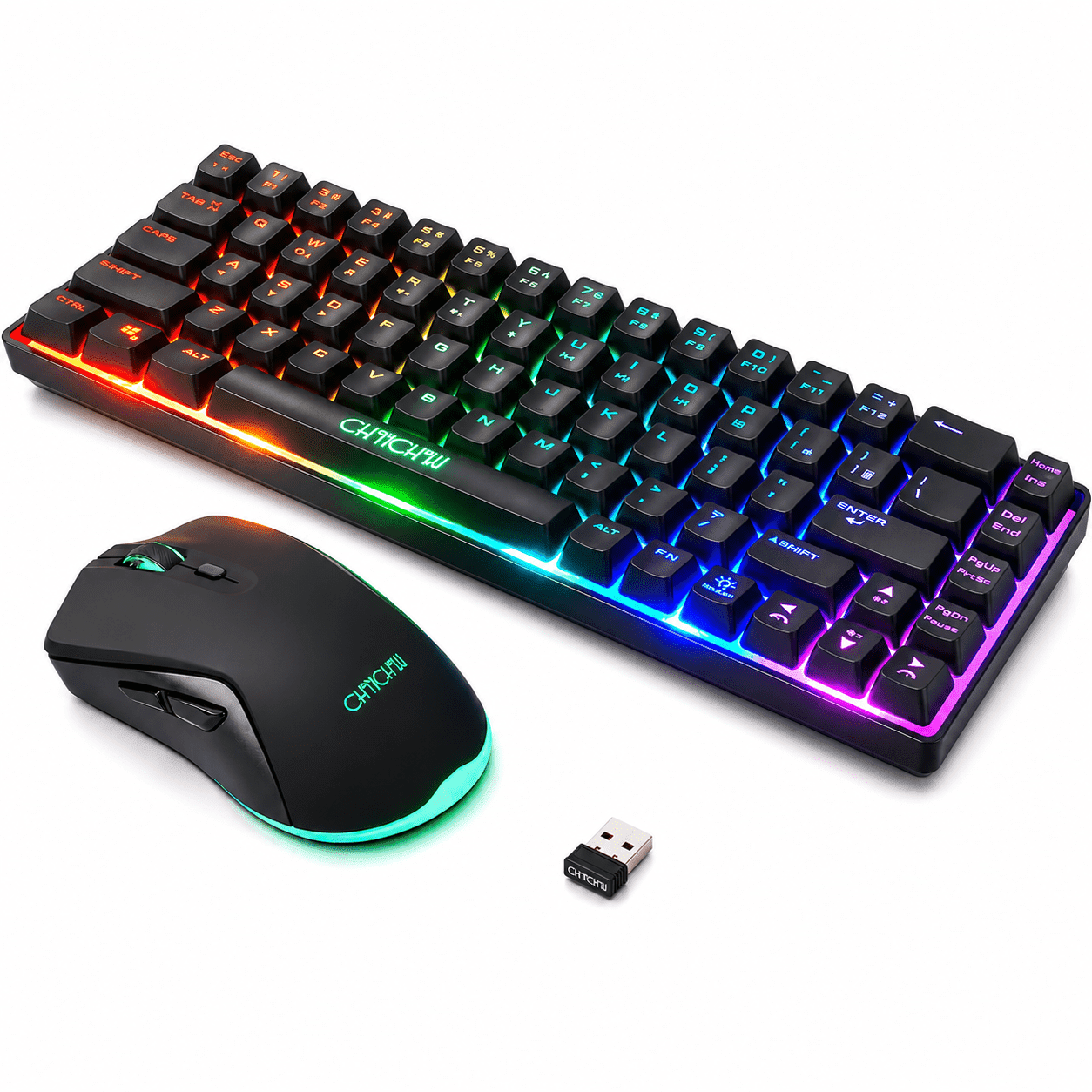
CHONCHOW 60% Wireless gaming Keyboard and Mouse Combo,68 keys Rechargeable Led Backlit Keyboard , 2.4GHz Wireless Receiver,Portable Design and Stable USB Connection for PC Mac Xbox
Warning: Trying to access array offset on null in /tmp/046238214b02a2e8.php on line 711
☆☆☆☆☆
Warning: Trying to access array offset on null in /tmp/046238214b02a2e8.php on line 719
Warning: Trying to access array offset on null in /tmp/046238214b02a2e8.php on line 720
reviews
Product details
| Management number | 251411457 | Release Date | 2026/09/26 | List Price | US$11.40 | Model Number | 251411457 | ||
|---|---|---|---|---|---|---|---|---|---|
| Category | |||||||||
<h2>CHONCHOW 60% Wireless Gaming Keyboard & Mouse Combo – Compact 68-Key RGB Rechargeable Set</h2> <p>Break free from wires with the <strong>CHONCHOW 60% Wireless Gaming Keyboard and Mouse Combo</strong>. This compact, rechargeable set is designed for gamers, students, and mobile users alike. Featuring a mini 68-key backlit keyboard and a matching gaming mouse, it delivers stable wireless performance and long battery life for versatile use at home, in the office, or on the go.</p> <p>Featuring reliable <strong>2.4GHz wireless technology</strong> with a single USB receiver, this combo ensures an interference-free connection up to <strong>33 feet away</strong>. The vibrant rainbow LED lighting offers multiple brightness and breathing modes, giving your setup a stylish look while improving visibility in any lighting condition.</p> <p>Both the keyboard and mouse feature <strong>built-in rechargeable batteries</strong>, offering extended use on a single charge with an energy-saving sleep mode. With broad <strong>plug-and-play compatibility</strong> across PC, Mac, Xbox, PlayStation, and various Windows systems, this combo delivers reliable performance and all-day comfort right out of the box.</p> <p><b>What's in the box:</b></p> <p> • 1 x 68 Keys Wireless Keyboard<br> • 1 x Wireless Mouse<br> • 1 x Charging USB Cable<br> • 1 x User Manual </p>
- 【2.4G Wireless Keyboard and Mouse Combo】
- This 2-in-1 set shares a single USB receiver, which can be conveniently stored under the mouse when not in use. Both the keyboard and mouse operate independently, offering flexibility for work, gaming, or travel. Powered by advanced 2.4GHz wireless technology, it ensures a stable, lag-free connection with an effective range of up to 10 meters (33 feet).
- 【Rainbow Backlit & Mechanical Feel】
- The 68-key compact keyboard features a vibrant rainbow backlight with 1 static mode and 1 dynamic breathing mode, adjustable across 3 brightness levels and 4 breathing speeds. (Note: This is a fixed rainbow backlight, not RGB—individual colors cannot be changed.) The mouse complements the setup with a 7-color cyclic gradient lighting effect. While this is a membrane keyboard, it is designed to deliver a satisfying mechanical-like typing feel.
- 【Type-C Rechargeable with Long Battery Life】
- The keyboard is powered by a 2000mAh rechargeable battery, and the mouse by a 500mAh battery—both offering over 40 hours of continuous use with lighting on. An intelligent power-saving mode automatically puts both devices to sleep after 5 minutes of inactivity and wakes them instantly with any key press. The mouse also features a 3-speed DPI switch (1200/2400/3200) for precise cursor control.
- 【Durable & Ergonomic Design】
- Built to last, each key is rated for up to 10 million keystrokes. The ABS keycaps are double-injection molded, ensuring the lettering never fades. The keyboard features a sturdy, frosted metal cover for added durability. To use arrow keys, simply press FN + W to switch the W/A/S/D keys into arrow mode. The mouse is ergonomically shaped to fit your palm, with a sweat-resistant and non-slip surface for maximum control.
- 【Wide Compatibility & Plug-and-Play】
- No drivers needed—simply plug in the receiver and start using. This 68-key wireless combo is compatible with Windows XP/7/8/10/11, macOS, Xbox One, PlayStation, and more. Multiple language versions are supported.
- 🔧 Troubleshooting & Pairing InstructionsIf the connection is lost, you can easily reset the pairing:To reset the mouse:Unplug the receiver.Press and hold the scroll wheel and right button for 3 seconds, then release.Reinsert the receiver. The mouse will reconnect automatically.To reset the keyboard:Unplug the receiver.Press and hold ESC and K for 3 seconds (the indicator light will flash), then release.Reinsert the receiver. The indicator light will turn off, and the keyboard is ready to use.⚠️ Note on Charging:If the devices do not power on, the battery may be completely drained. Please use a 5V/2A charger and charge for up to 10 hours to reactivate the battery (this is normal for lithium batteries)
- Unplug the receiver.
- Press and hold the scroll wheel and right button for 3 seconds, then release.
- Reinsert the receiver. The mouse will reconnect automatically.
- Unplug the receiver.
- Press and hold ESC and K for 3 seconds (the indicator light will flash), then release.
- Reinsert the receiver. The indicator light will turn off, and the keyboard is ready to use.
- 📞 Customer SupportWe're here to help! If you have any questions or encounter any issues during use, please contact us
| Brand | CHONCHOW |
|---|---|
| Computer keyboard & mouse set type | Gaming Keyboard & Mouse |
| Wireless | 2.4G wireless transmission technology |
| Power type | Battery |
| Keyboard tech | Membrane |
| Color | Black |
| Features | Backlit Keys |
| Connection | USB |
| Size descriptor | Mini |
| Number of keys | 68 |
| Keyboard layout | Compact 64-Key Design |
| Accessories | Charging USB Cable, User Manual |
| Battery consumption type | Integrated Rechargeable Battery |
| Motion detect | Optical |
| Pieces | 1 |
| Cable length | 0.98 ft |
| Maximum transmission range | 6 ft |
| Dimensions | 5.40 x 15.80 x 1.80 in |
| Assembled product weight | 1.43 lb |
| Number of batteries | 1 |
| Theme | Gaming |
| Retail packaging | Set |
Correction of product information
If you notice any omissions or errors in the product information on this page, please use the correction request form below.
Correction Request FormCustomer ratings & reviews
Warning: Trying to access array offset on null in /tmp/046238214b02a2e8.php on line 1110
Warning: Trying to access array offset on null in /tmp/046238214b02a2e8.php on line 1111
There are currently no written reviews for this product.